
 by
by My new store for prints of my pictures is live! You can access it at this link: https://christopherbecerra.pixieset.com/guestlogin/print/. Below I will provide instructions on requesting a print and answers to common questions.
Are prints shipped to anywhere in the world?
The answer is: mostly! Prints are delivered using FEDEX within Canada and the 50 US states. They can also deliver to Puerto Rico and any U.S. territories. They deliver in the European Union, the United Kingdom and some countries in Asia. Best would be to talk to customer service before placing an order if unsure.
How much is the cost to print and ship one of your pictures?
You can customize the type of material to print on and the size of the print; the price of an individual print varies depending on your selections and these can change according to the cost of the print lab producing it. Shipping costs are added to the order and depend on the speed of the delivery that you select and the location where they are being delivered. My best recommendation is to go in the store, select any image, then select the size and material to be printed on to get a sense of how much it costs.
Are all of your images available to print?
Unfortunately, not all the images shown on my website are available for printing due to online storage space constraints. This does mean I have only made available what I consider are my best pictures. However, if you want a print of an image that’s not in the store, contact me at c.bq@live.com and I will arrange for that image to be available in the store.
How do I request a print?
Very easily! Follow these steps:
- Navigate to https://christopherbecerra.pixieset.com/guestlogin/print/ using your favorite browser (it works in mobile devices too).

- Enter your email and click on Enter. This will let you enter the store, view images available there, add prints to your cart and place your order.

- Click on View Gallery.

- You can scroll to browse for more pictures. You can also use the headings to select between Wildlife, Landscape and Flowers pictures.
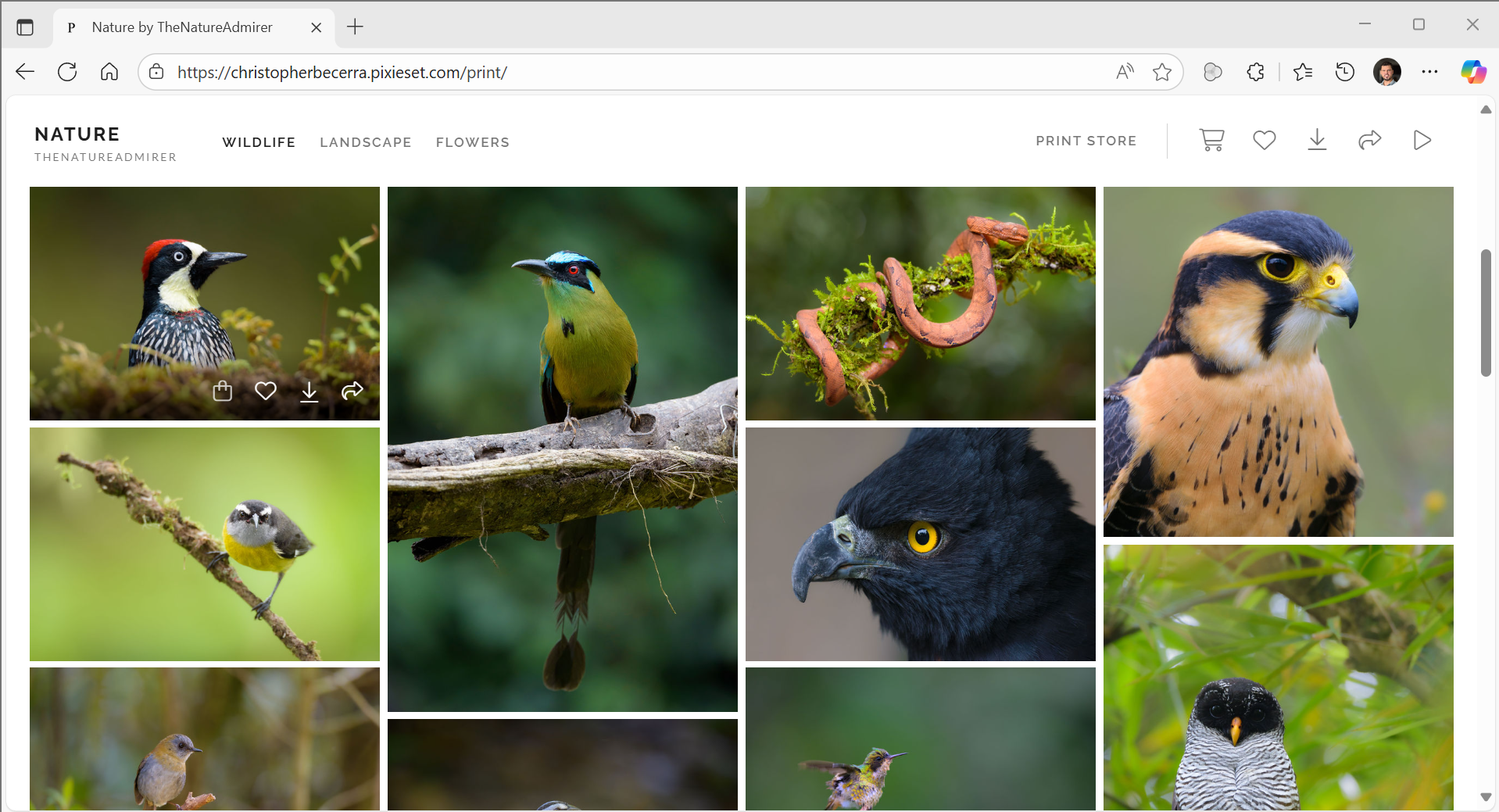
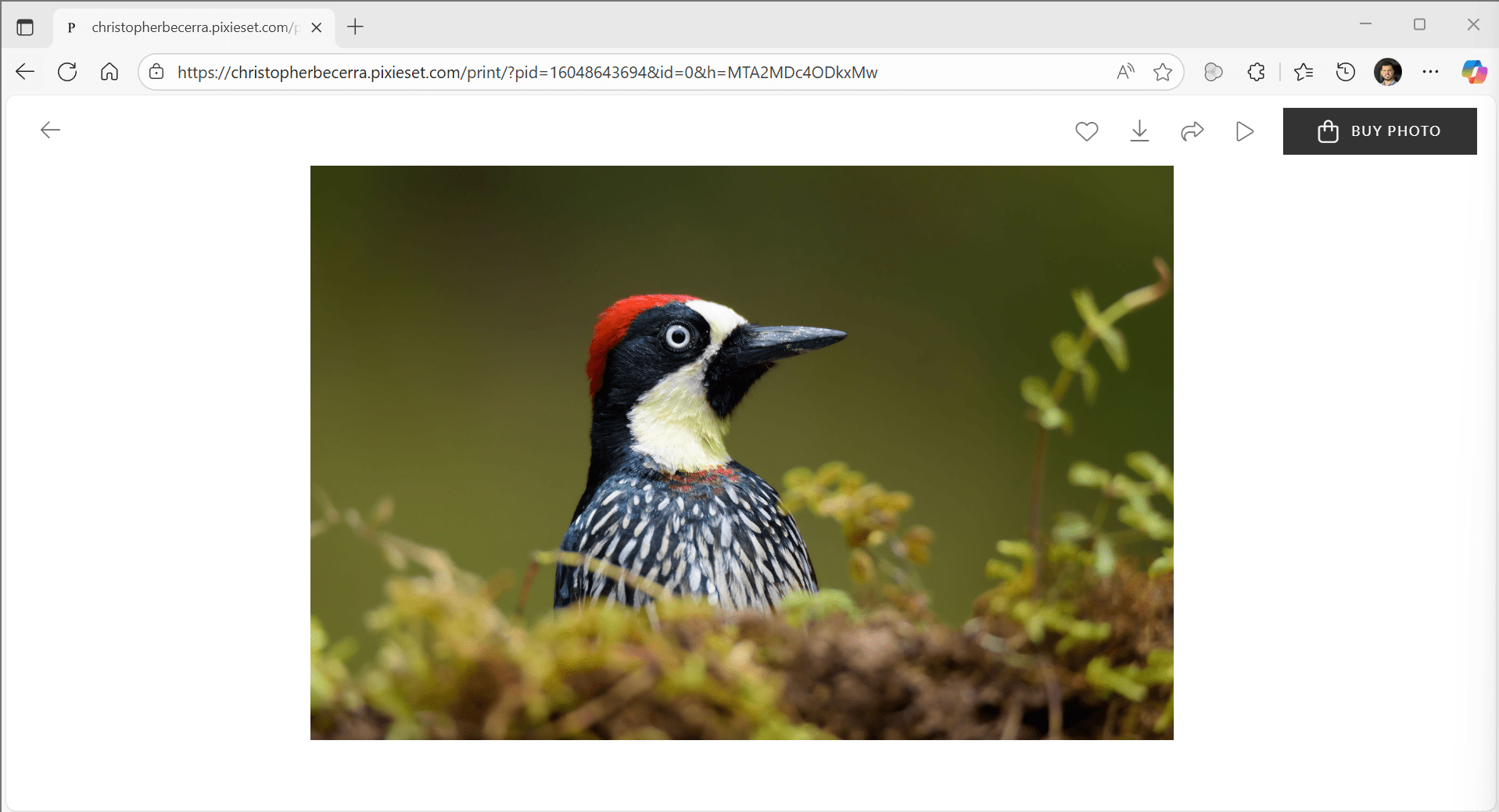
- Clicking on any picture will show you a bigger version of the image, and a “Buy Photo” button on the top right corner.
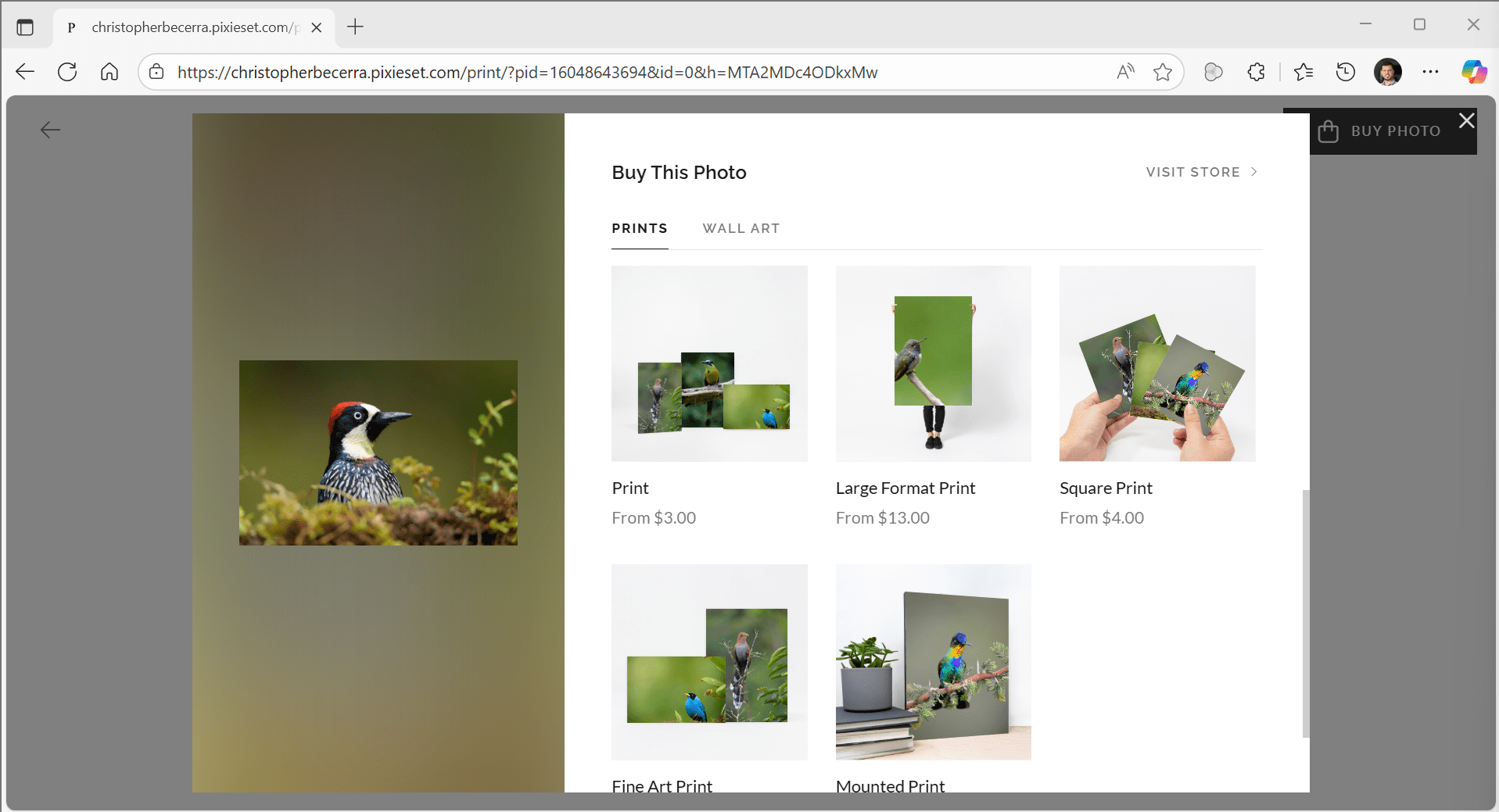
- Clicking on the Buy Photo, you get to see the options available to customize your print, and the price of your selection.

- You can scroll down for options for large square print formats, mounted prints and fine art prints.
- You can also click on Visit Store. There you first select what type of print you want, and later you select the image you want to print.
- In either case, once you have you have selected your options and the image you want printed, you can change the size one more time, edit the crop and select how many copies you want.

- Click Add to Cart. At this point, you can sign in with your account if you plan to make multiple orders, or just continue as guest.
- Finally, review your cart. If you want to add more prints, you can click on Continue Shopping. Otherwise, if you are ready, click on Proceed to Checkout. From there on it’s just like a usual online shopping experience to select payment method, delivery options and add your address.

If you face any issues, have any questions or just provide your feedback, feel free to contact me. Thanks for your support and hope you enjoy your new prints!
 The Nature Admirer
Leave a comment